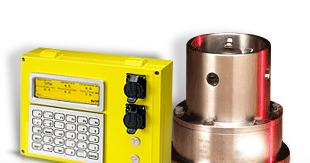
This tech note describes the process to diagnose and correct a Rapidlogger unit that loses its custom variable setup (multipliers, offsets, display settings, or the entire variable list) and reverts to factory default values, typically after the unit is power cycled or loses power unexpectedly in the field.
First, a Note About the Backup Battery
The Rapidlogger contains a CR1616 coin cell. This cell powers the real time clock while the unit is powered down. It does not hold your variable setup. Variables and settings are stored in flash memory on the board, which retains its contents with no battery present at all.
This distinction matters when troubleshooting. A weak or dead coin cell causes the unit to come up with an incorrect date and time (see Tech Note 18 for setting the date and time). It does not cause the variable list to revert. If the unit is losing variables, replacing the coin cell will not fix it, and if the unit is losing the date and time as well, treat that as a second, separate fault to be corrected at the same time.
Likely Causes
- An incomplete flash write caused by power being removed while the unit was actively saving a variable change — for example, unplugging the unit immediately after writing from the Rapidlogger Utility program instead of waiting for the write to finish. This is the most common cause.
- A firmware defect in an older firmware revision that has since been fixed in a later release (see Tech Note 3 for checking and updating the firmware version).
- A failing CPU module or flash memory (see Tech Note 44) if the problem recurs after every power cycle with current firmware.
Diagnostic Steps
- Confirm the symptom is repeatable. Power cycle the unit two or three times and note exactly what is lost each time: the variable list, the date and time, or both. Losing only the date and time points at the coin cell, not at the variable storage.
- Check and record the current firmware version (Tech Note 3) and compare it against the latest available release.
- If a variable backup file exists from before the issue started, do not restore it yet. First reproduce the failure with no changes, so the fault is confirmed before anything is overwritten.
- Update to the current firmware if the unit is running an older release, then repeat the power cycle test.
- If the issue persists on current firmware, restore the customer's variable file using Tech Note 43, write it to the unit, wait at least 30 seconds, and then monitor across several power cycles.
- If the unit continues to lose settings with current firmware and a clean restore, escalate to Engineering with the unit serial number (Tech Note 2), the firmware version, and how many power cycles it takes to reproduce the fault. That pattern points to a CPU module or flash hardware fault rather than a configuration issue.
Prevention
Always keep a current variable backup file on hand (Tech Note 13) so a recurrence can be resolved quickly in the field without a truck roll. Avoid removing power from the unit within 30 seconds of writing variables from the Utility program.